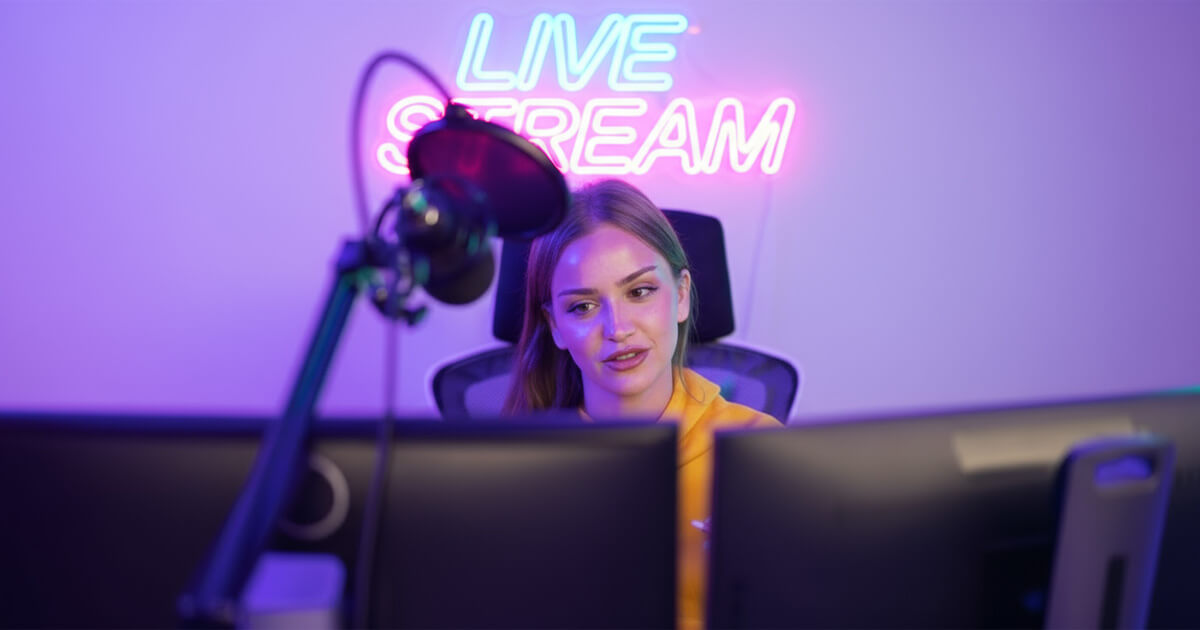

Your streaming setup has a direct impact on the performance of your streaming channel. The streaming world has become extremely crowded. Custom neon signs are now the preferred background choice for content creators seeking to build a brand that people remember and keep viewers watching for longer.
These glowing displays do more than catch the eye. Recent data indicates that they can boost the average viewing time by up to 23% and make your content much more likely to get shared on social media.
The streaming world looks completely different now. More than 7.39 million active streamers compete for the same viewers. You need more than solid gameplay or funny commentary to get noticed. You must create a visual identity that people recognize right away and can't forget.
Custom neon signs provide exactly this type of instant brand recognition. They also add a professional touch to any streaming setup.
Why Neon Sign Backgrounds Matter for Streamers
Many gaming streamers may not realize that what's behind them can keep people glued to the screen. Bright, colorful lighting grabs attention. Our brains process visuals 60,000 times faster than text. A backdrop with custom neon elements makes viewers more likely to stay tuned.
Streams with changing lights feel lively and professional. That glow can turn a bedroom into a studio or a streaming room. It does more than look good. It sets a mood that keeps viewers tuned in.

Brand Identity and Memorable Setups
Think about the biggest streamers you follow. Their backgrounds stand out instantly. Custom neon signs do that—they reinforce your brand in every clip, screenshot, and stream. Whenever someone shares your content, your brand goes with it.
The LED neon sign market sits at $1.54 billion today and may climb to $3.11 billion by 2033, a growth rate of about 8.2 percent. And it's not just businesses buying in. Streamers and gamers are fueling one of the fastest-growing niches in this market.
Standing Out in Saturated Streaming Markets
The streaming space is packed with content. On Twitch alone, millions stream every day, making discovery a real challenge. However, top streamers are aware that people often first discover clips on TikTok or YouTube Shorts, then proceed to the live stream.
Your neon sign ties those touch points together. Viewers spot that glowing backdrop in a short, remember it, and feel at ease when they join your stream.
Psychology of Lighting in Content Creation
Colors shape how viewers feel. Picking the right neon color can poke emotions:
-
Neon pink may suggest a fun and modern style, making it ideal for a variety of streams targeting a younger audience.
-
Neon green taps into gaming and tech vibes, giving a competitive edge.
-
Neon blue tends to convey a sense of trustworthiness and professionalism without sacrificing its sleek appearance.
-
Neon orange is likely to spark excitement, fitting high-energy or action-focused streams.
You want your sign to match the mood of your channel. After all, about 90% of first impressions come from color, and nearly 60% of people might skip content if the palette doesn't appeal to them.
5 Best Custom Neon Signs Perfect for Streamers
1. Username/Channel Name Signs (Most Popular)
Channel name neon signs top the list for streamers, and it makes sense why. Your username equals your brand, and seeing it lit up behind you makes it stick in viewers' minds. Whether someone tunes in live or catches a clip on Twitter, that glowing name cements who you are.
 Adding a neon username sign can turn a basic setup into something that looks straight out of a professional studio. It really shifts the vibe from "bedroom stream" to "major platform broadcast."
When you design your sign, focus on on-camera clarity. Choose clean, bold fonts and try out a few sizes to ensure it's easy to read without overwhelming the frame.
Most streamers place their name at eye level or just above. That way, your brand is front and center without blocking the action.
2. Gaming Platform Logos (Twitch, YouTube, TikTok, Kick)
Platform-specific neon signs do two things. They show viewers where to find you. They also build familiarity with each platform. A Twitch logo sign indicates to people that they're on Twitch. A YouTube, Kick or TikTok logo sign nudges them to visit your other channels.
 Please review the platform rules before using any logos in your custom sign. Most sites allow the use of their logo for promotional purposes, but you should confirm this on their respective brand pages.
Some streamers skip the logo and use the platform's signature colors instead. That approach delivers the same recognition without concerns about the logo.
3. Custom Catchphrases and Slogans
This is your chance to add personality. A neon sign with your catchphrase makes your memorable lines part of your brand. Use community favorites—inside jokes, signature sayings, or motivational quotes that match your style.

4. Gaming-Themed Designs and Characters
You'll find that gaming-themed neon signs with pixel art or controller shapes often stir up nostalgia and make viewers feel part of a group. Think about icons from retro games or simple joystick outlines—those clues tell people right away what games you play.
 Try picking images that won't feel old in a few months. Classic arcade symbols or generic gamepad shapes tend to last longer than neon for a single new release. That said, if your channel is centered around a single popular game, a sign featuring your favorite game logo may strengthen your community's connection.
5. "Game Time" and "LIVE Stream" Indicators
Game Time and LIVE Stream signs do more than look good. They let viewers know you're streaming live instead of running recorded clips. At home, they act as a clear "do not disturb" sign for family or roommates.
 These signs shine when tied into your tech. You can link them to your streaming software or smart home system so they switch on automatically when you go live and off when you finish. That little detail makes your setup feel more professional.
Neon Sign Design Considerations for Streaming Room
1. Brand Consistency and Color Psychology
Pick neon colors that match your existing brand palette and the mood you want to set. If your channel is all about laid-back chats or chill gameplay, steer clear of bright reds. On the other hand, if you bring nonstop energy, gentle pastels won't fit.
Also, consider the color temperature of your camera. A warm glow around 3200K feels cozy and personal. Cooler tones, near 5600K, appear sharper and more lively. Many streamers use dual-color LED bars, allowing them to shift from warm to cool tones depending on what they're streaming.

 Colors also play a role behind the scenes. Bright, high-energy hues tend to signal engagement to streaming platforms' algorithms. That could increase your content's visibility across more feeds.
2. Size and Placement for Camera Framing
Choosing the right size and position for your neon sign can make a big difference. If it's too big, it can steal focus from your face. Too small, and it blends into the backdrop. Aim for your sign to fill about 15-25% of the background. Place it where viewers can see it without it drawing attention away from you.
Camera angle plays a significant role. Most streamers set their camera slightly above eye level and tilt it down. That tilt can hide parts of your sign if you don't account for it. What looks good when you're sitting down might end up chopped off in the actual feed.
A common misstep is mounting signs too high or too low, only to realize they're barely visible once the stream starts. Always run a test with your camera angle before you commit. Many streamers sketch a layout template or use OBS preview to lock in the perfect spot.
3. Font Selection and Readability on Camera
Choosing a font that reads well on screen can be more complicated than you think. A style that looks sharp in person may blur once it's streamed. Stick with sans-serif fonts. Use bold letters instead of thin or fancy scripts.
Consider your streaming resolution, too. If you're streaming at 720p, intricate font details will be lost. At 1080p, you have more flexibility, but remember that mobile viewers (a considerable portion of your audience) will be seeing your content on small screens where readability becomes even more challenging.
Test your font choices at different streaming qualities and on different devices. What looks amazing on your main monitor might be completely illegible on a phone screen. Some streamers keep backup sign designs with simpler fonts just in case their primary choice doesn't work well for all viewers.
4. Integration with Existing Setup Aesthetics
Your neon sign needs to fit your current setup, not stick out like an afterthought. Match it to your desk and wall colors, other lights, and room theme. A neon design with cyberpunk vibes can clash in a minimalist space, just as a simple sign may vanish in a cluttered gaming room.
Lately, I've seen streamers tie their neon into RGB gear. They match the sign's color with keyboard backlights, mouse pads, and room strips. Some go further and hook those lights up to their streaming software, so they flash when someone donates or levels up in the game.
The trick is balance. Every piece in your frame should support your brand's look, with your neon sign acting as either the star of the show or a subtle accent.
Technical Setup Guide for Streamers
1. Mounting Options for Streaming Setups
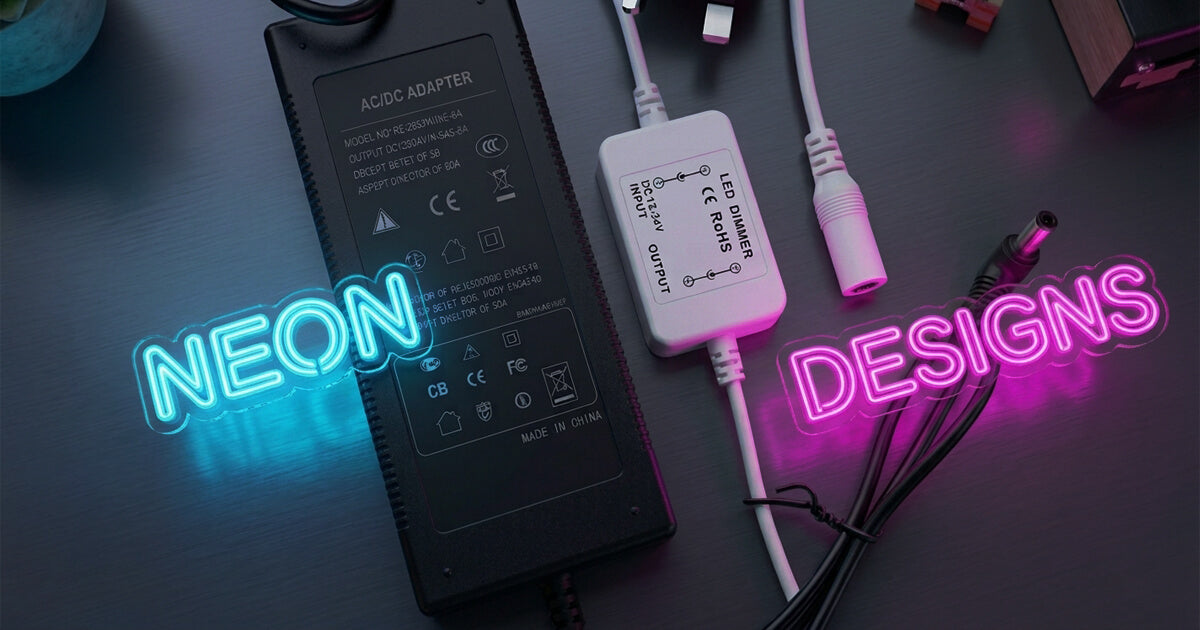
Proper mounting keeps your sign safe and looking sharp. LED neon signs weigh less than glass versions, but they still need firm anchors. When you purchase a neon sign, it typically includes mounting kits; however, your setup may require custom adjustments to ensure proper installation.
For permanent installs, wall mounting is ideal. Select anchors that match your wall—use drywall anchors for sheetrock or screws into studs for heavier pieces. Hide the hardware behind the sign so nothing shows on camera.
If you need flexibility, go for adjustable mounts. A desk arm or removable brackets allow you to test different positions before locking in a final position. That makes it easy to tweak your layout or move things around when you repurpose the room.
2. Power Management and Cable Organization
Good cable management separates amateur streams from professional ones. Exposed power cords can make even a premium neon sign look sloppy. The advantage with LED neon is its low-voltage DC power—it's safer and simpler to tuck away than old-style neon wiring.
Use raceway channels or adhesive cable covers to keep cords out of sight and out of harm's way. Run cables along wall corners, under your desk, or through a dedicated cable tray. If you need a temporary solution, removable clips and ties can hold cables neatly without drilling holes.
Also, think about cable lengths. Most signs ship with fixed-length power cords. Adding extensions can dim your sign or cause glitches. Map out your outlet location and cable path before you pick the final spot for your neon.
3. Integration with Existing RGB/LED Systems
Smart integration can bring your neon sign to life. You might link it to your RGB setup so lights flash when someone donates or you hit a game milestone. If you can't hook it up directly, try matching colors by eye or via a smart home routine.
I've used Philips Hue scenes to tie my sign into different moods. My "battle mode" pulls in deep reds and blues, while "chat mode" leans toward soft ambers and cool greens. It took a few tries to nail the balance, but now one tap on my Stream Deck flips the whole room to the right vibe.
Some streamers take it a step further and use control software to synchronize lights with their streaming actions. For instance, a Stream Deck button can switch your entire lighting scene with just one tap. That setup is likely to make your broadcast feel more immersive and professional.
4. OBS and Streaming Software Considerations
Your neon sign may throw off your OBS settings more than you realize. Bright neon can overwhelm budget webcams, washing out your face or casting harsh shadows. You may need to adjust your camera's exposure or add a soft fill light to even out the lighting.
Getting your color balance right is key when you're working with neon. Different colors, such as hot pink or electric blue; can tint your skin or clothing. That means you'll likely spend time tweaking white balance in OBS or your camera software. Try a few lighting setups and save distinct OBS profiles so you can switch quickly.
If you use a green screen, be aware of color spill. Neon green signs can blend into your backdrop, so many creators opt for red or blue instead. It reduces chroma key issues and helps keep your cut-out clean. Always run a test before you go live to catch any surprises.
Investment and ROI for Game Streamers
Custom neon signs usually cost between $100 and $500, based on size and design. A simple username sign runs about $100 to $150. If you want multi-color graphics or extra details, expect to pay up to $500. That range makes neon signs an option for serious newcomers and veteran creators alike.
LED neon uses very little power. A medium sign running eight hours a day might add under $2 to your monthly electric bill. When you weigh that against better viewer retention and stronger brand recall, the return on investment becomes easy to justify.
You might be surprised how budget-friendly these signs have become. Advances in LED neon technology, including UV printed neon signs mean you can achieve a professional look without the high cost of traditional glass neon. Many successful streamers consider their neon signs among their best investments.
ROI Calculation for Streaming Businesses
You should do the math before making an investment. Let's say you spend $300 on a neon sign and see your viewer retention climb by around 10 percent; a conservative estimate based on similar cases. If that boost brings in just three extra subscribers a month at $5 each, you recoup your cost in about 20 months, and every subsequent subscriber is a profit.
Of course, it doesn't stop there. A sharper-looking stream may lead to more clips being shared, which in turn drives organic discovery. As your audience grows, you're more likely to catch a sponsor's eye. Brands often feel safer partnering with creators whose channels appear polished, as this can translate into higher sponsorship fees through better visuals.
Income varies wildly, from top streamers earning $100,000 to $200,000 a month to smaller channels making between $50 and $1,500 per month. Enhancing your setup with a neon sign may suggest you're beyond your current subscriber count, helping you appear more established and widening that earnings gap over time.
Brand Building Value vs Traditional Advertising
Traditional ads cost you each time they run. A neon sign, by contrast, works around the clock for years after you pay once. Every stream, clip, or photo reinforces your brand without additional spend, so that passive exposure adds up over time.
Think about how viewers recognize familiar visuals. When your neon sign glow-up appears across YouTube, Instagram, and Twitter, it creates a sense of trust that can't be bought with one-off ads. That instant familiarity may boost click-throughs and subscribers, and many streamers notice their sign becomes a shorthand for their channel.
That steady brand presence really compounds. A one-time $300 ad may briefly increase visibility. A $300 neon sign, however, keeps reinforcing your brand for months or years. Often, it pays for itself in less than twelve months through improved recognition and conversions.
Long-term Durability and Cost-Effectiveness
LED neon signs typically run for 50,000 to 100,000 hours. That adds up to five to ten years of regular streaming. Compared to one-off ads or frequent gear upgrades, this lifespan makes them a smart investment that pays off throughout your career.
Today's LED neon is built tough. It resists shattering, uses very little power, and needs almost no upkeep. You can move it without fear of breakage, skip special disposal rules, and even incorporate it into the design as your channel grows.
Due to its low energy consumption, an LED neon sign requires almost no electricity to operate. If you stream 40 hours a week, the sign could last over 24 years. That makes the cost per hour of brand exposure almost negligible.
Transform Your Streaming Room with Neon Sign Backgrounds
Neon signs go beyond simple decor. They serve as brand investments that can enhance viewer retention, create a professional appearance, and strengthen your presence across platforms. With millions of creators fighting for attention, standing out visually has become crucial for growth.
The numbers support this. Streamers with professional, well-lit setups consistently beat those with plain backgrounds. Custom neon signs offer one of the affordable ways to get that professional look while building brand recognition that lasts.
 If you're starting or upgrading an existing channel, a good neon sign can change both your setup's appearance and your business potential.
Your streaming setup shows what your brand is about. Every detail viewers see shapes how they view your professionalism and creativity. Custom neon signs offer several clear benefits: they cost less, last longer, use minimal energy, and effectively reinforce your brand across all your content.
The investment pays for itself through better engagement, improved sponsorship opportunities, and stronger brand recognition across platforms.
Design your custom streaming neon sign today and join thousands of successful streamers who understand how professional visual branding can transform their channels.


Share: